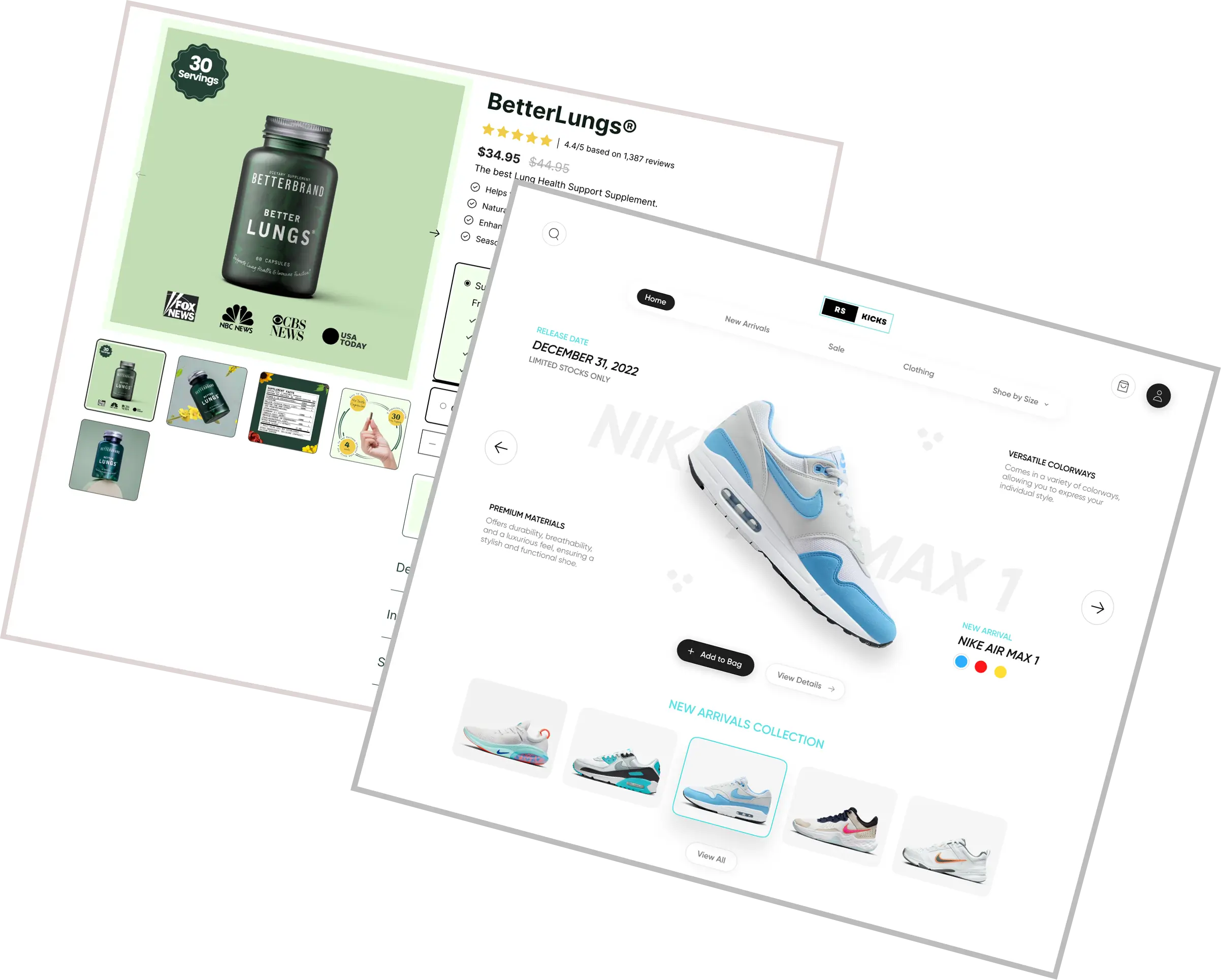
Examples: allbirds.com americanflat.com
Want to know what Shopify theme a competitor is using? Paste their URL into a free Shopify theme detector and you'll have the answer in seconds. It works on official Shopify themes like Dawn, Horizon, Prestige, and Concept, ThemeForest themes like Kalles, Avone, and Wokiee, and third-party themes like Lumin. This guide walks you through three ways to detect any store's theme, what the results mean, the best Shopify themes in 2026, and what the top-converting stores do beyond just picking the right theme.
You're browsing a Shopify store. It looks clean, fast, and polished. Products are flying off the shelves and you can tell. You want to know what theme they're using so you can build something just as good.
Finding what Shopify theme a website is using used to mean digging through source code. Now it takes about two seconds. Use the free Shopify theme detector above, paste in any store URL, and you'll get the theme name instantly.
That's the quick answer. But if you want to understand how it works, which themes are worth using, and what the best stores do beyond just their theme, keep reading.
Shopify Theme Detector — What Shopify Theme Is This?
People always want to know, "What Shopify theme is this store using?" while browsing competitor stores or looking for design inspiration. Fortunately, there's a simple way to find out. You can identify any Shopify store's theme in a matter of seconds with our free Shopify theme detector.
Our Shopify Theme Detector helps you detect Shopify theme details quickly and accurately — what is it called? Is it free? Is it custom? It works on official Shopify themes like Dawn, Horizon, Prestige, and Concept, ThemeForest themes like Kalles, Avone, and Wokiee, and third-party themes like Lumin. With just one click, you can uncover the exact theme behind any Shopify site and move on to the next thing.
Use this tool to identify any store designs you admire and improve them even further.
How Does a Shopify Theme Detector Work?
A Shopify theme detector works by scanning a store's HTML, CSS, and JavaScript for unique identifiers that Shopify embeds in every theme. These identifiers, like theme name tags and theme store IDs, are baked into the front-end code of every non-custom Shopify store.
The tool reads that code, cross-references it against a database of known Shopify themes, and returns a match. The whole process happens in the background in a couple of seconds. If a store has a heavily customized or fully custom theme, the detector will flag that too, so you know you're looking at a bespoke build rather than something you can install off the shelf.
How to Find What Shopify Theme a Website Is Using
There are three ways to detect a Shopify theme. Here they are, from easiest to most technical.
Method 1: Use a Free Theme Detector Tool
This is the fastest option. Paste the store's URL into the tool at the top of this page and hit check. You'll get the theme name in seconds. No sign-up, no downloads, no code. You can run as many URLs as you want.
Method 2: Check the Page Source Code
This one's free and works without any tool. Open the Shopify store in Chrome, right-click anywhere on the page, and select "View Page Source." Then press Ctrl+F (or Cmd+F on Mac) and search for "shopify.theme" or "theme_store_id." You'll find a code like 842, which corresponds to a specific theme you can look up. It works, but it's slower and less beginner-friendly than using a detector.
Method 3: Use a Chrome Extension
Extensions like Koala Inspector let you detect themes while you browse. Install the extension, visit any Shopify store, click the icon, and it shows you the theme along with a link to find it on the Shopify Theme Store. It's handy if you're doing a lot of competitive research. That said, it's an extra download you don't really need when a free online tool does the same job.
Why Use a Shopify Theme Detector?
Detecting a store's theme is not always about replicating. Knowing what your competitors are doing is one of the basics of any marketing strategy. Here's what you can actually do with a theme detector.
Get design inspiration fast. Instead of browsing hundreds of theme demos, find a store you admire and work backwards. Once you know the theme name, you can explore it properly, see other stores using it, and decide if it fits your brand.
Research your niche. When you spot a competitor with strong sales and a polished storefront, their theme choice is worth investigating. You can scan multiple competitors to spot patterns. If three of the top stores in your niche all use the same theme, that tells you something.
Save time on client projects. If a client says "I want something like this store," you can identify the theme in seconds instead of spending hours trying to reverse-engineer a design from scratch.
Verify developer work. It's not just about finding out which Shopify theme a site uses. It's about empowering non-coders to check that developers are doing the work they say they are.
Best Shopify Themes in 2026
The crucial difference that separates Shopify themes into two categories is price: free and paid. Both are pre-built, meaning most features are laid out in a uniform pattern. As of 2024, Shopify offers over 100 themes in their official Theme Store. Out of these, 13 are free, while paid themes range between $140 and $450.
Here are the themes consistently rated highly across the Shopify ecosystem in 2026:
Dawn — Shopify's flagship free theme. Minimalist, fast, and built for performance. A solid starting point for most stores. Great for fashion, beauty, and home goods.
Impulse — A popular premium choice for visually-driven brands. Its features, including low-stock notices, product videos, and countdown timers, are designed to create urgency and drive conversions.
Prestige — Built for luxury and high-end brands. It offers built-in tools like color swatches, mega menus, and pop-ups, potentially reducing the need for expensive third-party apps.
Empire — A strong option for stores with large catalogs. Built-in filtering and search make it easy for customers to navigate hundreds of products.
Focal — Clean, editorial, and conversion-focused. Works well for single-product stores and brands with strong visual identity.
Kalles — A popular ThemeForest theme built for high-volume stores. Clean layout, fast performance, and packed with built-in features that most free themes don't offer.
Wokiee — One of the most feature-rich Envato themes available. Great for stores that want deep customization without hiring a developer.
Lumin Theme — A sharp, modern third-party theme marketplace built for conversion. Works well for brands that want a premium feel without the premium theme price tag.
The right theme depends on your niche, your catalog size, and your budget. A single-product store has very different needs from a store with 500 SKUs. Use the detector tool above to see what themes top stores in your niche are already using, then make your decision from a place of real data rather than guesswork.
Great Stores Don't Just Pick the Right Theme
Here's what most guides won't tell you: the theme is the foundation, not the finish line.
The average Shopify store conversion rate ranges between 1.4% and 1.8%, while top-tier stores exceed 3.2%. The gap between those two numbers isn't usually the theme. It's everything that happens on the product page after a customer lands.
Products with professional-quality photos saw a 33% higher conversion rate on average than those with low-quality images. High-resolution product images have a 94% higher conversion rate than low-resolution photos. Research indicates that 94% of first impressions are design-related, and a poor design can lead to high bounce rates.
The theme handles your store's layout and look. But the apps you install handle the things that actually close sales.
The best Shopify stores in 2026 typically have a stack of well-chosen apps running alongside their theme. Things like:
Variant image management. Shopify only lets you assign one set of images to all variants of a product by default. So if you sell a t-shirt in five colors, every customer sees the same photos regardless of which color they pick. That's a conversion killer. Apps like Nova Multiple Variant Images fix this by letting you assign multiple images, videos, and 3D models to each individual variant, so customers always see exactly what they're buying. If you want to go deeper on this, the guide on how to add multiple images per variant walks through the full setup.
Reviews and social proof. Trust signals on the product page move the needle more than most design changes.
Upsells and cross-sells. Post-purchase and in-cart upsells increase average order value without touching the theme at all.
Subscription widgets. If your product is repeat-purchase, a well-placed subscription option on the product page can significantly increase lifetime value. You can see how a custom subscription widget works on Shopify if that's relevant to your store.
The point is simple: find the theme, install it, then build on top of it with the right apps. That's what separates stores sitting at 1.5% conversion from the ones pushing past 3%.
How to Use Theme Research to Actually Improve Your Store
Once you've detected a competitor's theme, don't just install it and call it done. Use it as a starting point for a broader research process.
Step 1: Detect the theme. Use the tool at the top of this page. Note whether it's free, paid, or custom.
Step 2: Study the product page, not just the homepage. Most of the conversion work happens on product pages. How are they displaying images? How many images per product? Do variant images change when you switch colors or sizes? Check their product page setup for specific variants and take notes.
Step 3: Look at the app stack. Tools like Koala Inspector surface not just the theme but also the apps a store is running. This is arguably more valuable than the theme itself.
Step 4: Identify the gaps. What are they doing that you're not? What are they missing that you could do better? That gap is your competitive advantage.
Step 5: Build and test. Install the theme, set up your app stack, and run your own tests. The Shopify design and CRO features page covers what's possible when you put all of this together properly.
Theme research is competitive intelligence. Use it that way.
Start Building a Store That Actually Converts
Knowing what theme a competitor uses is a great first move. Paste any Shopify store URL into the detector above and get your answer in seconds.
But remember: the theme is just the start. The stores that convert at 3% and above have the right theme AND the right apps running on top of it. They're showing the right images for every variant. They're reducing friction at every step. They're making it as easy as possible for customers to see exactly what they're buying and click add to cart.
If your store sells products with variants and you're not showing variant-specific images, that's worth fixing today. Start a free trial of Nova Multiple Variant Images and see how it changes the shopping experience for your customers.
FAQ
How To Find Out What Shopify Theme A Store Is Using 2026?
Paste the store's URL into our free Shopify Theme Detector above and get the answer in seconds. It works on official Shopify themes, ThemeForest themes like Kalles, Avone, and Wokiee, and third-party themes like Lumin.
Is There A Way To Find Out What Theme A Shopify Site Is Using?
Yes. Our free Shopify theme detector makes it easy. Just paste the URL and the tool scans the site's source code and returns the theme name instantly. No sign-up, no downloads required.
How To Find Out What Shopify Theme A Website Is Using?
Simply paste the store's URL into our Shopify Theme Detector above. It displays the theme name in seconds, whether it's a free theme, a paid theme, or a custom build.
Which Shopify Theme Should You Choose?
Choose a theme that fits your store's style, catalog size, and budget. Free themes like Dawn work well for simple stores. Premium themes like Impulse, Prestige, Kalles, or Wokiee offer more customization and built-in conversion features. Use our detector to see what themes top stores in your niche are already using before you decide.
How To Check The Shopify Theme Of Any Online Store?
Paste the store's URL into our Shopify Theme Detector at the top of this page. The tool scans and reveals the theme name in a couple of seconds. You can check as many stores as you want for free.
Why Should You Use A Shopify Theme Detector?
It gives you fast, accurate insights into any store's design. Instead of browsing hundreds of theme demos, you can find a store you admire, detect the theme in seconds, and make an informed decision. It's also useful for competitive research and verifying developer work.
Why Would You Need To Detect A Shopify Theme?
Detecting a theme can spark design ideas, help you understand what's working in your niche, and save hours of browsing. It's one of the quickest ways to do competitive research without touching a line of code.
Where Can I Find Shopify Themes?
Official Shopify themes are available on the Shopify Theme Store. Third-party and premium themes like Kalles, Avone, and Wokiee are available on ThemeForest. Some independent theme developers like Lumin also sell directly through their own sites.
What Are The Differences Between Free And Paid Shopify Themes?
Free themes offer clean designs and basic features at no cost. They're a solid starting point for new stores. Paid themes range from $140 to $450 and include more advanced customization options, built-in conversion tools, and dedicated support. The right choice depends on your budget and how much flexibility you need.
How Long Does It Take To Identify A Shopify Theme Using The Detector?
Just a few seconds. Paste the URL, hit check, and the tool returns the theme name almost immediately. It's the fastest way to find out what theme any Shopify store is using.
Can The Shopify Theme Detector Identify Custom Shopify Themes?
Yes. If a store is using a fully custom theme built from scratch, the detector will flag it as a custom theme rather than returning a theme store name. This usually means a developer built the theme specifically for that store, which can't be purchased or installed directly.
Will copying a competitor's Shopify theme improve my sales?
Not on its own. A theme sets the layout and visual style of your store, but conversion rates are driven by many other factors including product page quality, image quality, page speed, trust signals, and apps. The average Shopify store converts between 1.4% and 1.8% of visitors, while top-performing stores exceed 3.2%. The difference is rarely the theme. Use competitor theme research as a starting point for inspiration, then focus on building a great product page experience on top of it.
How many images should I show per product variant on Shopify?
Shopify recommends 7 to 10 images per product, but by default all variants share the same image gallery. So if you sell a product in multiple colors or styles, customers see the same photos regardless of what they select. The best practice is to assign dedicated images to each variant so customers always see exactly what they're buying. Products with professional photos see up to 33% higher conversion rates, and showing the right images for the right variant removes one of the biggest friction points in the buying process. Apps like Nova Multiple Variant Images handle this automatically on Shopify.