Last updated:
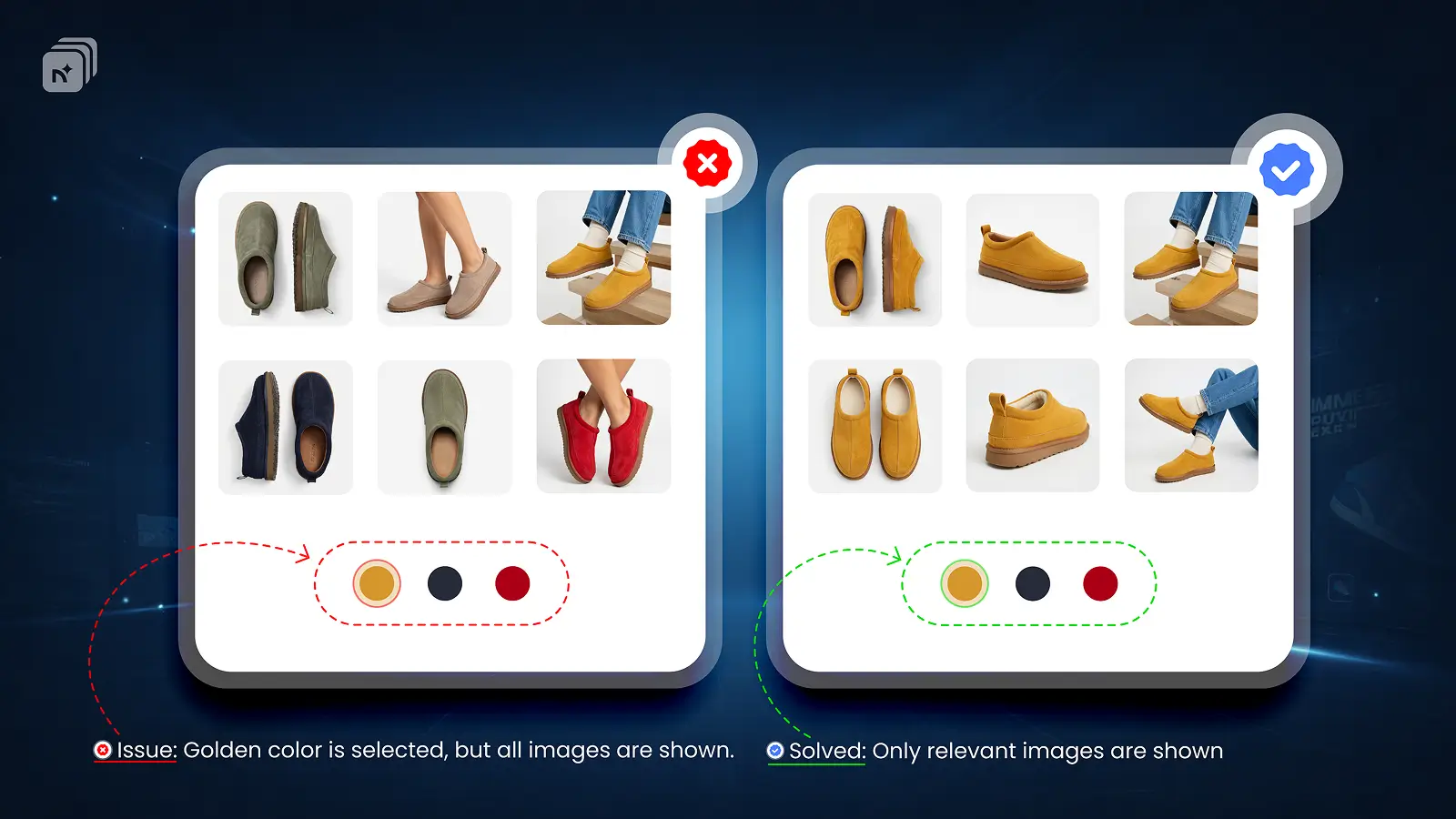
By default, Shopify does not hide variant images. All product images show at once, every color, every angle, every style mixed together in one gallery. There is no native way to hide variant images in Shopify or control what shows before a customer makes a selection.
To hide variant images until a variant is selected, you need a variant image app.
How Shopify Handles Variant Images by Default
Shopify displays all product images regardless of which variant a customer selects. You can assign one image per variant natively, but that only highlights the assigned image. It does not hide the rest of the gallery.
For stores with visually distinct variants, this means customers are always looking at a cluttered mix of images that do not all apply to what they are considering.
How to Hide Variant Images Until Selected in Shopify
Nova MVi gives you full control over which images show and when.
Install Nova MVi from the Shopify App Store
Open a product inside Nova MVi
Assign images to each variant
Save
Once set up, Nova Multiple variant images hides all variant images that do not belong to the selected variant. Before any selection is made, you can configure a default state using your first variant's images or a clean starting gallery. When a customer selects a variant, the gallery updates instantly to show only that variant's images. Everything else stays hidden.
Why Hiding Variant Images Matters
Hiding irrelevant variant images removes visual clutter from your product page. Customers see only what they are considering buying. That reduces confusion, builds purchase confidence, and improves conversion rates, especially for products with many color or style options.
key Takeaways
Shopify does not hide variant images natively
All images show at once by default regardless of variant selection
There is no native way to hide variant images until a variant is selected
Nova MVi hides all non-selected variant images automatically
Works with all Shopify themes, no coding required, free plan available
Install Nova Multiple variant images on the Shopify App Store