Last updated:
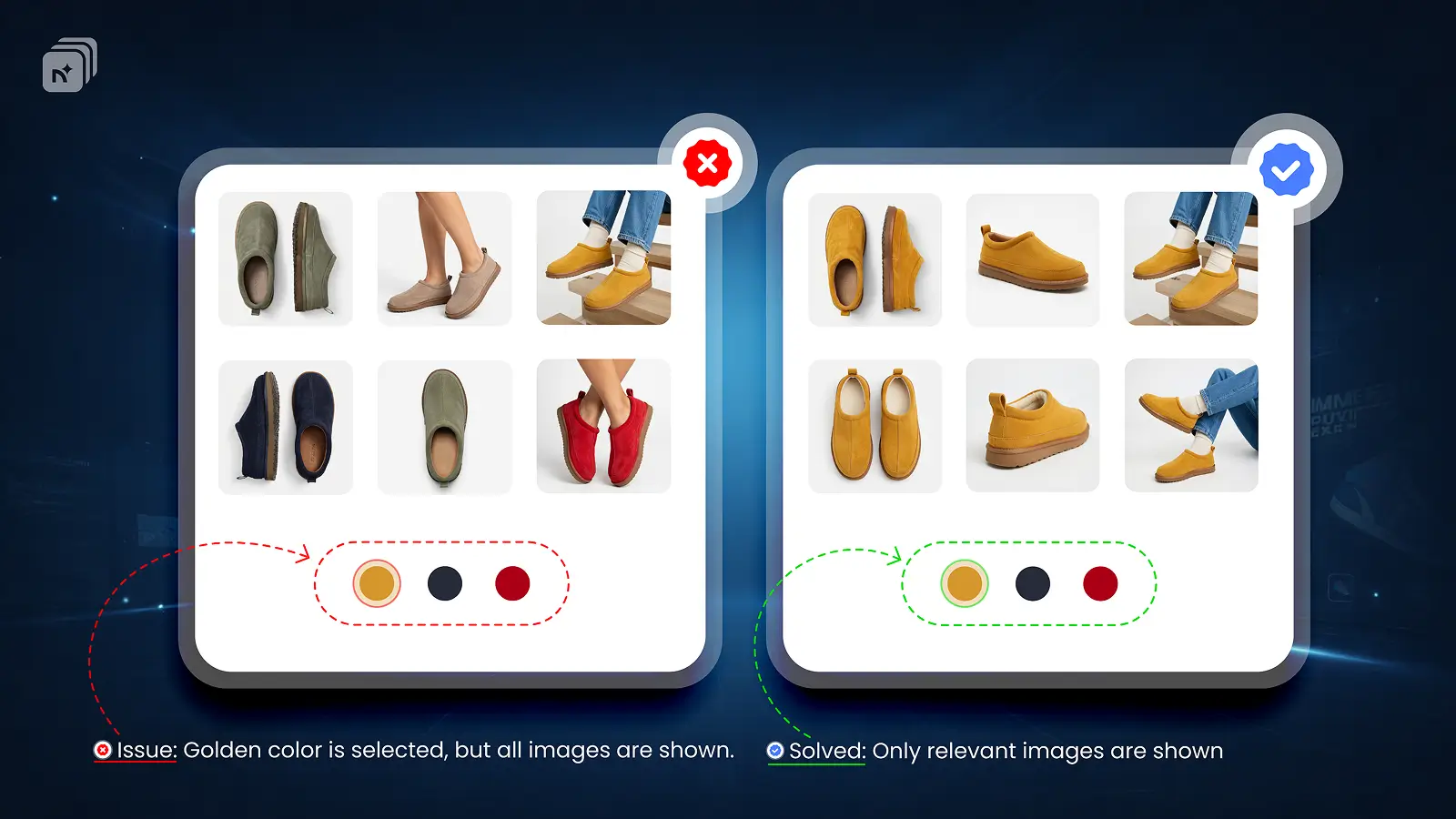
By default, Shopify shows all product images at once. Every color, every angle, and every variant appears mixed together in one gallery. There is no native way to show only selected variant images or hide irrelevant ones automatically.
This is one of the most common product page problems for Shopify merchants. A customer selects red and still sees blue, green, and yellow product photos. It creates confusion, reduces confidence, and costs conversions.
Why Shopify Shows All Images by Default
Shopify's gallery is product-level, not variant-level. It displays every image uploaded to the product regardless of which variant is selected. Assigning an image to a variant only highlights it in the gallery. It does not hide the rest.
This is a native limitation of Shopify, not a bug or misconfiguration.
How to Show Only the Selected Variant Images
You need a variant image app that takes over gallery filtering from Shopify's default behavior.
With Nova MVi:
Assign images to each variant inside the app
When a customer selects a variant, the gallery filters instantly
Only that variant's images are shown
All other images stay hidden until a different variant is selected
This handles all three common use cases. Showing only selected variant images, hiding unrelated images, and showing only relevant variant images based on the active selection. All three are handled automatically without any code changes.
Who Needs This
Any Shopify store where variants look visually different. Apparel, footwear, bags, jewelry, home decor, and electronics are the most common examples. If selecting a color or style should change what the customer sees, this setup is essential.
key Takeaways
Shopify shows all product images at once by default
There is no native way to filter the gallery by selected variant
Nova MVi filters the gallery automatically based on the active variant selection
Covers showing only selected images, hiding unrelated images, and showing only relevant images
No coding required, works with all Shopify themes, free plan available
Install Nova Multiple variant images on the Shopify App Store