Last updated:
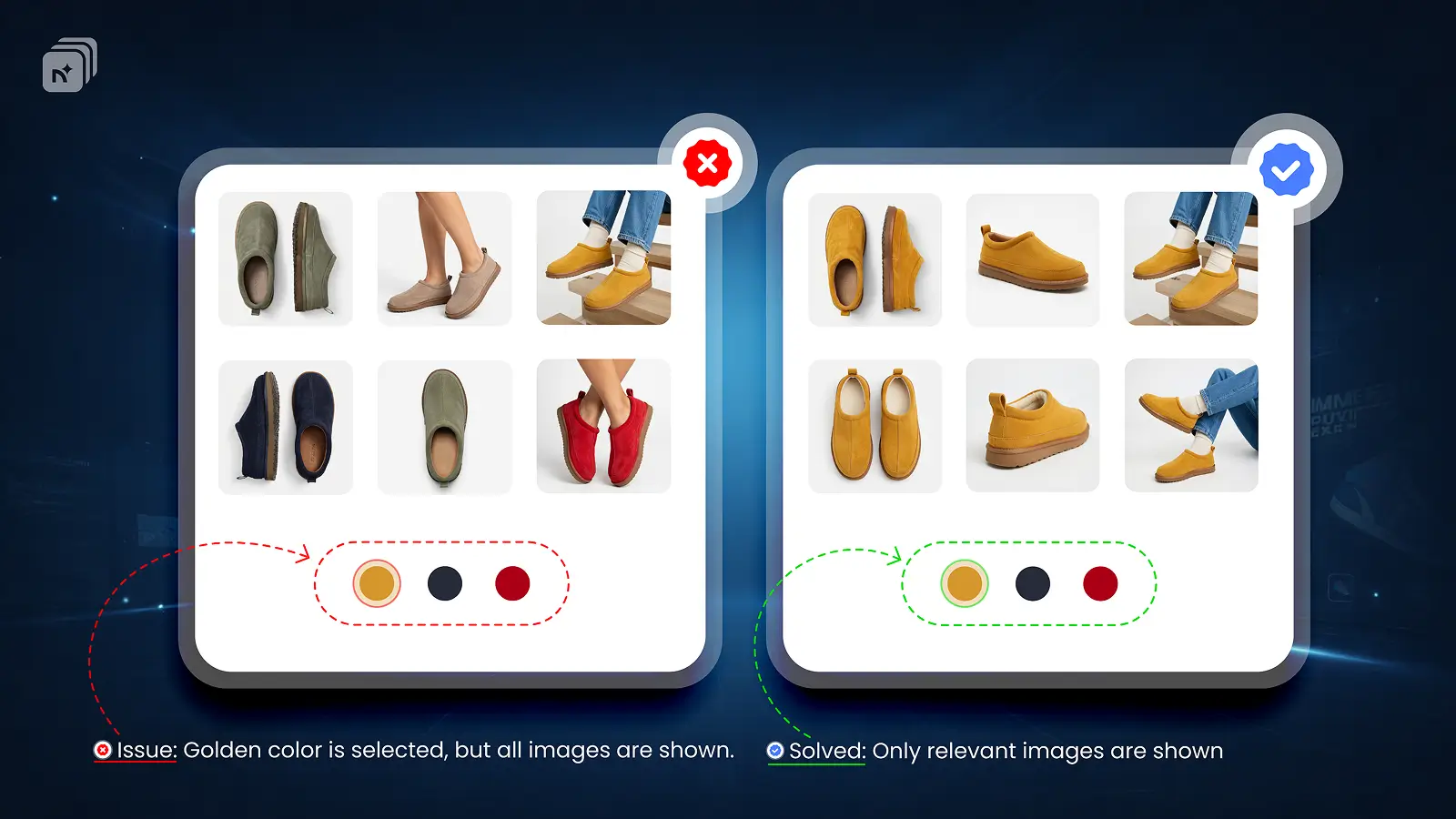
Horizon is Shopify's newest flagship theme, launched in 2025. It is fast, modern, and built for conversion but like Dawn, it has a limitation when it comes to variant images.
What Horizon supports natively
Horizon supports variant image switching. When a customer selects a variant, the gallery updates to highlight the assigned image. It is one of the better native implementations among Shopify themes.
What Horizon does not support
Horizon only supports one image per variant natively. Multiple images per variant front, back, lifestyle, detail shots per color require an app.
The full gallery also stays visible by default, meaning customers see all variant images at once until an app takes over gallery filtering.
How to fix it on Horizon
Nova Multiple Variant Images is fully compatible with Horizon. No theme edits, no liquid code changes.
Assign multiple images to each variant inside Nova and Horizon's gallery automatically filters to show only the selected variant's media. Nova supports images, videos, and 3D models per variant, all work correctly within Horizon's gallery layout.
Nova multiple variant images has been tested on Horizon and works with all current Horizon versions.
TL;DR
Horizon supports variant image switching natively but only one image per variant
The full gallery stays visible by default
Nova mvi adds multiple images per variant to Horizon, no code changes required
Supports images, videos, and 3D models per variant on Horizon
Install Nova multiple variant images on the Shopify App Store