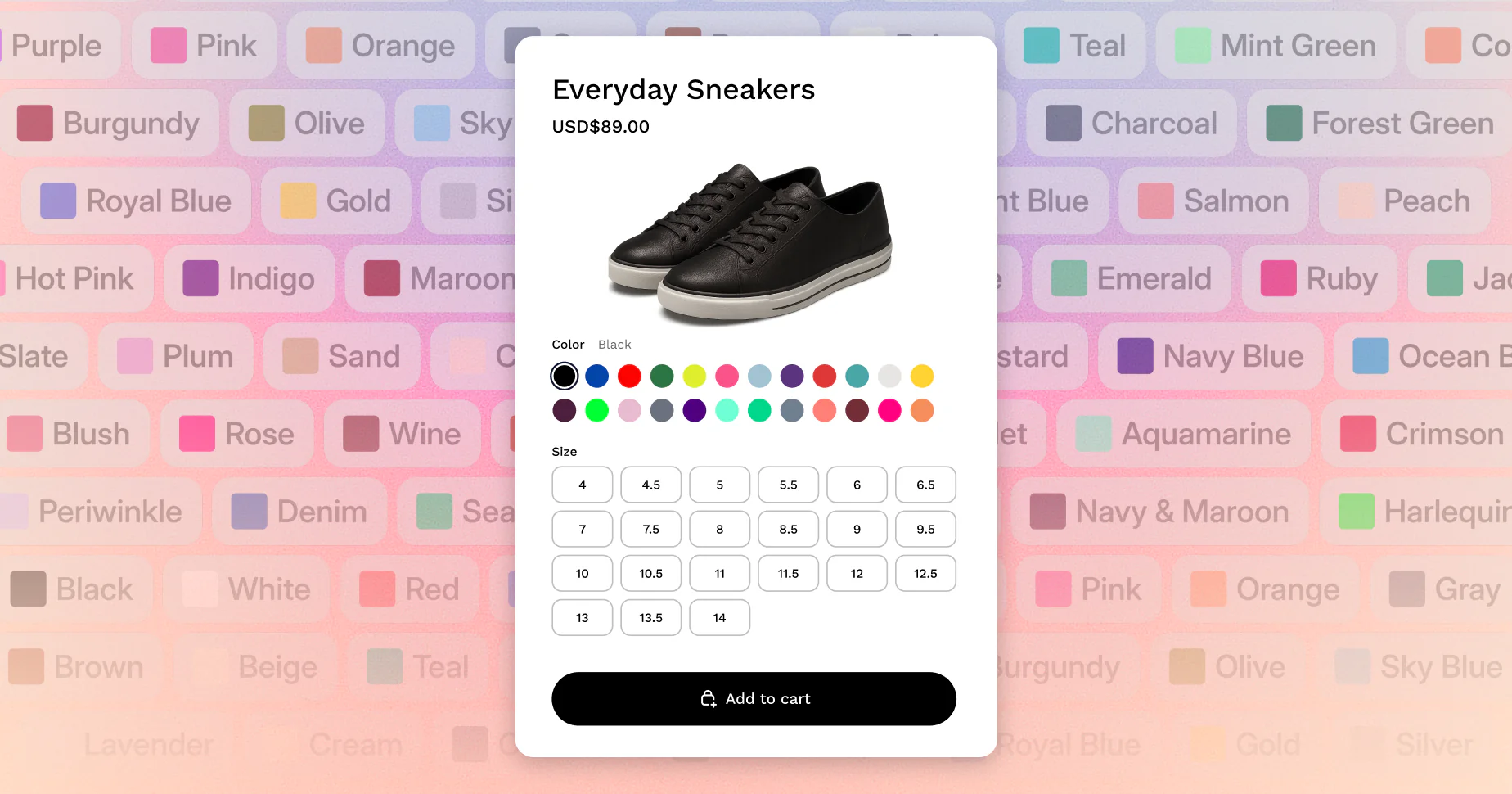
TL;DR: Shopify officially raised its variant limit from 100 to 2,048 in October 2025, and it's now live for all stores on all plans. But the update comes with real catches: you're still limited to 3 options per product, your theme may need updating, and Shopify still only assigns one image per variant natively. Here's what changed, what didn't, and exactly what to do next.
For years, hitting 100 variants on a Shopify product meant one thing: you had a problem. Merchants selling T-shirts in 10 colors and 12 sizes, furniture in multiple finishes, or footwear across dozens of colorways all ran into the same wall. The Shopify 100 variant limit forced you to split products across multiple listings, confuse customers, and make inventory management a nightmare.
That changed on October 15, 2025. Shopify raised the variant limit to 2,048 per product, and it's now available to every merchant on every plan. But the update isn't as clean as it sounds. There are still three real limitations most merchants are missing, and if you don't know about them, they'll catch you off guard. This post gives you the full picture.
What Is the Shopify Variant Limit Now?
As of October 15, 2025, Shopify supports up to 2,048 variants per product on all plans. This is a 20x increase from the previous limit of 100 variants and is now live for every merchant, not just developers or Shopify Plus stores.
That's the straightforward answer. To get started, you just go to Products in your Shopify admin, add your options and option values, and the new limit applies automatically. Shopify confirmed the rollout on their official changelog with no additional setup required on your end.
This is one of the most requested features in Shopify's history. According to Shopify's own blog post announcing the update, going above 100 variants had been a top merchant request for years, which is why they re-architected core parts of the platform to make it possible.
Why Shopify Raised the Limit
This wasn't a small tweak. Shopify had to fundamentally rebuild how products work on the platform.
The old limit existed because of how Shopify's database was structured. Storing and serving hundreds of variant combinations in real time wasn't something the original architecture could handle efficiently. So for years, the 100-variant cap stayed in place while merchants found workarounds.
Industries like fashion, furniture, and automotive were hit hardest. A bra brand selling in 12 sizes and 20 colors hits 240 variants on a single product. A furniture company offering a sofa in 5 sizes, 8 fabrics, and 6 leg finishes hits 240 variants before adding any other options. These aren't edge cases. They're standard catalogs for complex products.
The old workarounds all created problems. Splitting one product across multiple listings fragmented SEO, confused customers navigating between pages, and made inventory tracking messy. Third-party apps that stitched listings together added cost and maintenance overhead. Custom development was expensive and brittle.
Now all of that is unnecessary. You can keep everything under one product URL, which means all your SEO equity, ad spend, and social traffic points to a single page.
What Still Doesn't Work: The Three Catches Merchants Are Missing
Here are the three limitations that remain after the update, and why they matter.
1. You're still limited to 3 options per product.
The variant limit went from 100 to 2,048, but the option limit didn't move. You still get a maximum of 3 option types, such as Size, Color, and Material. Shopify confirmed this is unchanged. If your product needs a 4th option type, you'll still need a third-party product options app for that.
2. Your theme may not support more than 250 variants.
This is the one most merchants don't see coming. Shopify's Liquid API caps product.variants at 250. Most older themes loop through product.variants to render the variant picker. If yours does, any variants beyond 250 simply won't show up on your product page, even though they exist in your admin.
The fix requires a theme code update to use product.options_with_values and Shopify's new product_option_value object instead. This isn't something you can toggle in admin. You need your theme developer to make the change, or update to a theme version that already supports it. If you're on the latest version of your theme, you're likely good to go. If not, you'll need your theme developer to make the update.
3. The 250 media file limit still applies.
Your product can now have up to 2,048 variants, but it can still only hold 250 media files total. That includes all images, videos, and 3D models combined. As Shopify's Help Center confirms, each variant can only have one image assigned from that shared pool of 250. For a product with 200 color variants, that means you physically can't give each variant its own unique image natively.
This last point is where a lot of merchants with large catalogs hit a new ceiling immediately after upgrading.
How Many Variants Can You Have on Shopify? A Plain-English Breakdown
The current Shopify variant limits are: 2,048 variants per product, 3 options per product, and 250 media files per product shared across all variants.
Here's what that looks like in practice. Say you sell a jacket in 4 sizes, 8 colors, and 6 materials. That's 4 x 8 x 6 = 192 variants, well within the new limit and fine under the old one too. Now say you sell a sofa in 6 sizes, 12 fabrics, and 8 leg finishes. That's 6 x 12 x 8 = 576 variants. That was impossible before. Now it works natively.
The math gets tricky with media. Shopify's variant system assigns one image per variant from a shared pool of 250 files. So if you have 576 variants and want a unique image for each, you can only cover 250 of them natively. The rest share images or go without.
For stores with fewer than 250 visually distinct variants, the native system works well. For stores beyond that threshold, you'll need to think strategically about your image setup.
The Variant Image Problem Nobody Talks About
Even with 2,048 variants available, Shopify's native image system hasn't kept pace. You still get one image per variant, pulled from a shared pool of 250 media files per product.
For most merchants with complex catalogs, that creates a real problem. If you have 60 color variants and want to show 4 angles per color (front, back, detail, lifestyle), that's 240 images just for one option. Add anything else and you're over the limit. And even within that limit, Shopify shows all product images in a single gallery regardless of which variant is selected. A customer who picks "Forest Green" still sees every other color's photos mixed in.
This is a separate problem from the variant count itself, and it's one the 2,048 update didn't solve.
Nova mvi is built specifically for this. It lets you assign multiple images, videos, and 3D models to each variant, and automatically filters the gallery to show only the relevant media when a customer selects a variant. It works on all Shopify themes including Dawn and Horizon, uses Shopify's native metafield system so it doesn't slow down your store, and has been implemented for 50+ brands.
You can read more about how variant image apps work and what to look for before deciding if it's the right fit for your store.
How to Add More Than 100 Variants on Shopify (Step by Step)
Getting more than 100 variants on Shopify is now built in natively. Go to Products in your admin, open or create a product, add your options and values, and Shopify handles the rest up to 2,048 combinations.
Here's the full process:
Step 1: Check your theme version. Before adding more than 250 variants to any product, verify your theme supports the new variant system. For Dawn, you need version 15.0.0 or later. For other themes, check with your developer or the theme store listing.
Step 2: Add your variants in admin. Go to Products, select your product, and add option values. The new limit applies automatically. There's no toggle or setting to change.
Step 3: Consolidate split products. If you previously split one product into multiple listings to work around the 100-variant limit, now's the time to merge them. A single product URL concentrates your SEO equity and makes inventory management simpler.
Step 4: Plan your images strategically. With 250 media files shared across all variants, map out which variants need unique images and which can share. If you have more than 250 visually distinct variants, you'll need an app like Nova multiple variant images to handle media assignment properly.
Conclusion
The Shopify 100 variant limit is gone. Every store on every plan can now create up to 2,048 variants per product, and the process to get there is the same workflow you already know in admin.
But three things didn't change: the 3-option cap, the 250 media file limit, and the one-image-per-variant native behavior. If your products are visually complex and customers need to see multiple images per variant to make a confident purchase, the variant count update alone won't solve that.
That's what Nova Multiple Variant Images is for. Assign multiple images, videos, and 3D models per variant. Filter the gallery automatically. Keep your store fast with native Shopify metafields. Start your free trial on the Shopify App Store and see it working on your products today.
FAQ
How can I add more than 100 product variants in my store?
Since October 15, 2025, adding more than 100 variants is built into Shopify natively on all plans. Go to Products in your Shopify admin, open your product, and add your options and values. Shopify now supports up to 2,048 variants per product with no extra setup required. The only thing to check first is whether your theme supports more than 250 variants, as some older themes may not load all variants correctly.
How do I overcome the Shopify limit of 100 variants?
You don't need to anymore. Shopify officially raised the limit to 2,048 variants per product for all stores in October 2025. If you previously split products into multiple listings or used third-party apps to work around the old cap, you can now consolidate everything into a single product. Just make sure your theme and any critical apps are updated to support the new variant system before making changes.
How can I add more than 100 variants on my theme, like Sense or Dawn?
It depends on your theme version. For Shopify's Dawn theme, you need version 15.0.0 or later to support more than 250 variants. Earlier versions cap out at 250. For third-party themes, check directly with the theme developer to confirm compatibility with Shopify's new high-variant system. If your theme isn't updated, variants beyond 250 may simply not appear on your product page, even if they exist in your admin.
How many variants can you have on Shopify now?
As of October 2025, Shopify supports up to 2,048 variants per product on all plans. That's a 20x increase from the previous limit of 100. You're still limited to 3 option types per product, such as Size, Color, and Material. And your product can hold up to 250 media files total, including images, videos, and 3D models, shared across all variants.
What happens to variant images when I have more than 100 variants?
Shopify still assigns one image per variant from a shared pool of 250 media files per product. That means if you have more than 250 variants with unique visuals, you can't give each one a distinct image natively. And even within that limit, Shopify displays all product images in a single mixed gallery regardless of which variant a customer selects. For stores with visually distinct variants, you'll need a variant image app to manage this properly. Read more about how variant image apps solve this problem.